Dynago
  • About DYNAGO
  • Our Services
    • System Selection, Quality Assurance Consulting
    • System Implementation
    • Custom Development
    • Support
    • Go Digital with Your Business!
  • Our Solutions
    • Microsoft Business Central
    • Microsoft NAV product suite
    • Microsoft D365 Finance & Operations, (Microsoft Dynamics AX)
    • Microsoft Power BI
    • Microsoft Power Apps
    • Microsoft 365 Office product suite
  • Tips
    • Blog
  • Career
  • Contact
  • MicrosoftPartner
  • EU funding
  • Menu Menu

Posts

dynago

Business Central 28 Takes Logistics, Finance and Quality Management to the Next Level

2026.07.02./in Dynago /by dynago

Microsoft Dynamics 365 Business Central 2026 release wave 1, also known as version 28 or BC28, introduces a wide range of enhancements that can directly simplify companies’ day-to-day operations. Rather than being built around a single headline feature, the new version makes processes faster, more transparent and easier to automate across several areas, from financial administration and reporting to supply chain management and quality management.

A clear common direction emerges from the new capabilities. The system supports users in completing an increasing number of repetitive, manual tasks while providing greater control over critical business operations. The aim of these enhancements is not only to accelerate individual activities, but also to make related processes more consistent and easier to track, while reducing the likelihood of errors.

The AI and Copilot capabilities of BC28, as well as the architecture of artificial intelligence solutions within Business Central, will be presented in detail in a separate upcoming blog article.


General Improvements for More Transparent Operations

BC28 includes several general enhancements that may initially appear to be minor changes but can significantly simplify the use of the system in practice.

A company-level language code can now be configured on the Company Information page. This allows invoices and other sales documents to be created in the language specified by the company, regardless of the language in which an individual employee uses the Business Central interface.

This is particularly valuable in multilingual or international environments, as it reduces the risk of a document being generated in a language that does not meet the business partner’s expectations simply because of the current user interface settings.

Permission management is supported by a new page that provides an overview of permission sets. This centralized view makes it easier to review the permission sets and authorization structures in use, which can be especially useful for companies with a large number of users and complex roles.

List pages can also display which user created or modified a particular record. The user’s avatar or initials are shown directly in the list, so it is no longer necessary to open each record individually to check this information. This enables users to find relevant information more quickly during day-to-day collaboration, troubleshooting and the clarification of discrepancies.


Finance and Reporting: More Flexible Control and Better-Organized Reports

Allowed Posting Periods Using Date Formulas

Posting periods have traditionally been restricted by defining specific starting and ending dates. These dates had to be updated manually on a regular basis, for example at the beginning of each month, to ensure that they continued to reflect the currently open posting period.

BC28 adds two new date formula fields to this configuration. The first and last allowed posting dates can now be specified not only as fixed dates but also by using formulas relative to the current work date. The rule can be applied at company level to all users, while different posting periods can also be configured for individual users.

Specific dates and date formulas can also be combined. For example, the beginning of the period may be defined as a fixed calendar date, while the end date is determined by a formula relative to the work date, or vice versa.

This solution can reduce the number of recurring manual configuration tasks while maintaining control against accidental or unauthorized posting to closed periods.

Statuses and Categories for Financial Reports

In BC28, statuses can be assigned to financial reports as well as to their row and column definitions. This makes it possible to clearly distinguish between reports that are still under development or review, reports that are active and ready for use, and definitions that have already been retired.

Both a status and a category can be assigned to a financial report, while statuses can be applied to row and column definitions. If a user attempts to select a row or column definition that has been locked, the system displays a warning.

This reduces the risk of an employee accidentally using a report structure that is outdated, has not yet been approved or is no longer intended for use.

Categories also support the logical organization of reports. Separate groups can be created, for example, for reports related to balance sheets, cash flow, budgeting and forecasting, compliance or management reporting. Where a large number of reports are used, this can significantly simplify searching and the maintenance of the financial reporting catalog.

Financial reports are also being enhanced in several other areas. A company logo can be added to the printed output, and its position can be configured. Default report parameters can be defined, while reports can be scheduled to run automatically and sent by email at regular intervals. The system supports grouping by dimensions, and a new audit log makes it possible to review who ran a particular report and when.

Supply Chain Management and Logistics

The logistics enhancements in BC28 affect a broad range of operations, from item master data management and warehouse setup to purchasing processes and the full drop shipment lifecycle. Their common aim is to reduce manual data entry, establish more accurate document relationships and improve the control and traceability of business processes.

Managing Images and Attributes by Item Variant

In previous versions, an image could primarily be uploaded to the main item record. From BC28 onward, a separate image can be assigned to each variant code on the Item Variant Card. This provides a real advantage for products that are available in several visually distinct colors, sizes or designs.

For example, separate images can be assigned to the red, blue and black variants of the same basic T-shirt. Warehouse, sales and purchasing employees can therefore identify the correct product more quickly, reducing the risk of selecting the wrong item.

Item attributes can also be managed at variant-code level. Individual attributes can be assigned to each variant and displayed on both the Item Variant Card and the list page. Managing images and attributes together makes it possible to create a more accurate and detailed product database.

The Description 2 field, which contains the secondary description of an item, is also becoming available on production bill of materials lines and production bill of materials version lines. This additional description is particularly useful when the primary description is not sufficient to accurately identify a component, raw material or part. Users working in production can therefore view the more detailed description directly on the relevant page.

Simpler Purchase Invoicing and More Accurate Product Identification

The Get Order Lines function available on purchase invoices allows users to retrieve purchase order lines directly in addition to receipt lines. Purchase order lines can be selected whether they already have a related receipt or have not yet been received into inventory.

The system automatically creates purchase invoice lines based on the selected information and preserves the relationship with the original purchase order and any related receipts. A new field on purchase orders controls whether any outstanding receipt should be posted automatically when the invoice is posted. This functionality is primarily applicable to items that are not subject to item tracking.

The enhancement can reduce the manual work associated with creating separate receipts in advance, while preserving the relationships between orders, receipts and invoices.


Creating a New Location by Copying an Existing One

The Copy Location function allows users to create a new warehouse or site by copying the configuration of an existing, properly configured location.

The user can select the source location, specify the new location code and decide whether all data from the source location or only selected related configurations should be copied.

When selective copying is used, the following elements can be controlled separately:

  • zones and their related bins;
  • warehouse employees;
  • inventory posting setup;
  • transfer routes;
  • automatic opening of the new Location Card after creation.

In a traditional process, creating a new location was followed by several rounds of configuration, data entry and testing. With the copy function, a proven master location can serve as the starting point. This can support faster site launches, more consistent configurations and a lower risk of setup errors. Naturally, the specific modifications and checks required for the new location can still be completed after the copy process.

Approval Workflows for Worksheets and Journals

BC28 extends approval capabilities to inventory and purchasing planning processes. New workflow templates support the approval of requisition and planning worksheets as well as item journal batches.

Users can send approval requests from requisition and planning worksheets, withdraw them and view their current approval status. Approval can also be used for item journals, physical inventory journals, output journals and consumption journals.

Entire journals can be submitted for approval, and their status can be monitored in real time in the journal header. A journal awaiting approval cannot be posted until the appropriate decision has been made.

At a manufacturing company, for example, the posting of a consumption journal can be made subject to approval by a shift supervisor, ensuring that only verified material consumption is entered into the system. In the warehouse, an output journal may be approved by the warehouse manager, while purchasing planning controls can prevent purchase orders from being generated without prior approval.

Automatic Separation of Service Orders

The One Service Item Line/Order setting in service management previously applied primarily to manually created service orders. In BC28, the functionality is also extended to orders generated automatically from service contracts.

If a contract contains several service items and the One Service Item Line/Order option is enabled, the system creates a separate service order for each service item. This can support more transparent work organization, more accurate assignment of responsibilities and simpler tracking of completion.

Creating a Purchase Quote from a Customer

A new Create Purchase Quote function is available on the Customer Card and the customer list page. It allows users to create a purchase quote that refers to a customer number rather than a vendor number.

This capability can support business processes in which a purchasing requirement is directly related to a specific customer or customer order. The relationship can be recorded as early as the quotation stage, improving traceability throughout the subsequent process.

Faster Filtering on Sales, Purchase and Service Invoices

When creating sales, service and purchase invoices, users often need to select the lines to be invoiced from a large number of shipment or receipt lines. BC28 makes several fields filterable that could previously only be displayed.

On shipment lines for sales and service invoices, for example, users can filter by order number, reference or external document number. On receipt lines for purchase invoices, the available filtering criteria include the order number, reference, vendor order number, vendor shipment number and item reference.

This enhancement can significantly accelerate the selection of the correct lines, particularly in environments where many open orders and documents are handled simultaneously.

Matching Purchase Invoice Lines with Multiple Orders and Receipts

The creation of purchase invoice lines becomes more flexible, as the system can handle lines originating from multiple orders and multiple receipts on a single invoice. It also takes the relationships between purchase orders and inventory receipts into account during subsequent posting steps.

This is especially beneficial in processes where a supplier invoice includes items from several orders, multiple partial deliveries or goods received at different times. More accurate management of these relationships can reduce manual reconciliation and the number of errors between different documents.

Sending Posted Sales Documents by Email

Posted sales shipments and posted return receipts can be sent by email directly from Business Central. Using the send function available on list and card pages, the document can be attached to the message in PDF format.

Users therefore no longer need to save the document separately and attach it manually using an external email system. Documents can be forwarded more quickly and consistently from within the Business Central interface.

Exploding the Routing for Serial-Numbered Items

The Explode Routing function in the output journal previously created journal lines based on the operations of the production order. Typically, one line was created for each operation, containing the full quantity to be produced.

For finished products subject to serial number tracking, however, output must be recorded individually for each unit. In BC28, the system can create as many output journal lines for the final operation as the production quantity, with each line representing one unit.

This can significantly accelerate the receipt of serial-numbered products into inventory. The functionality requires the Item Tracking on Lines setting to be enabled in the journal template.

More Advanced Drop Shipment Processes

In a drop shipment process, goods are delivered directly from the vendor to the customer, creating a close relationship between the sales and purchasing processes.

In BC28, the Create Purchase Orders function available on sales orders also handles lines marked for drop shipment. The system creates the related purchase order directly from the sales order and automatically transfers the customer’s address or the shipping address from the sales order into the delivery address. The vendor can be suggested based on the Item Card or entered manually.

The enhancement significantly reduces the need to create the purchase order separately and manually. This can result in less data entry, more accurate address management, shorter lead times and less follow-up work.

It is also possible to undo a sales shipment related to a drop shipment, provided that neither the sales invoice nor the purchase invoice has been posted. When the sales shipment is undone, the system automatically reverses the related purchase receipt as well. This means that the process can be reversed in a controlled manner until the invoicing stage.


Quality Management: End-to-End Quality Management in Business Central

A new Quality Management extension is also available for BC28, providing integrated support for the end-to-end management of quality inspections. Rather than managing only individual inspection points, the solution connects quality processes across multiple stages of the value chain within a unified system.

Quality inspections can follow the product throughout its entire journey, from purchasing and incoming-goods inspection through manufacturing, assembly and inventory receipt to release, sales and customer complaint management. The extension also includes a dedicated Quality Manager role and Role Center, bringing related tasks together in one place.

The receipt of a purchase order can automatically initiate a quality inspection task. The system supports incoming-goods inspections, sampling, quarantine inventory, vendor qualification and the tracking of vendor performance.

During production, in-process inspection points can be defined. Automatic inspection tasks may be associated with a released production order, while measurement results can be entered directly into the system. The process supports the monitoring of critical manufacturing parameters, real-time data entry and the immediate handling of deviations.

Posting production output can initiate a final inspection. The quality characteristics of finished products, related test results, documents and certificates can all be recorded in the system. Following quality approval, inventory can be released automatically. If an inspection fails or is still in progress, the stock can be blocked or held in quarantine.

Quality management does not end after the sale. The solution also supports outbound-goods inspections, customer complaints, lot- and serial-number-based traceability, as well as the monitoring of quality trends and KPIs.

Extensive Configuration and Automation Capabilities

One of the main strengths of Quality Management is that the scope and operation of inspections can be configured in detail. Companies can define, among other elements:

  • the scope of a quality inspection, which may cover a specific item, item group, lot number, serial number or package number;
  • the timing of the inspection and the business event that triggers it;
  • measurement parameters, target values, lower and upper tolerance limits and units of measure;
  • the sampling method and required sample size;
  • inspection templates, generation rules and related workflows;
  • quarantine, blocking, release and rejection rules;
  • the content of quality certificates and certificates of analysis.

The Quality Tests page allows users to define the measurement parameters to be inspected and the acceptable result ranges. Results may be numerical, Boolean, text-based or selected from predefined options.

Individual tests can be grouped into inspection templates. A template can determine which inspections must be carried out for a particular product, vendor or production process. This helps ensure that the same requirements are applied every time the same business situation occurs.

Generation rules define which business event should create a quality inspection and which inspection template should be used. Such events may include the receipt of a purchase order, the release of a production order, the posting of production output, a warehouse operation or a particular step in an assembly process. Inspections can be created manually or according to a schedule.

By default, the system supports inspection results with in-progress, passed and failed statuses, but these can also be extended with custom result codes. A failed inspection can automatically place the item in quarantine, block its use or sale, or initiate an approval or deviation-management process.

The extension also supports the creation of quality certificates and certificates of analysis. Test results, measured characteristics, lot or serial numbers and approval information can be provided to customers in a consistent document or used during internal and external audits.


What Does This Mean for Business Central Users?

The new features in BC28 do not target only one business area. Together, the enhancements support more efficient operations across the company as a whole.

Finance teams gain more flexible posting periods, better-organized reporting structures and additional automation capabilities. In logistics and manufacturing, manual data entry can be reduced while approval controls and traceability are strengthened.

Quality Management can integrate quality-related tasks directly into business processes instead of maintaining them in separate records and systems.

However, the business value of the new features will always depend on appropriate configuration and the right implementation approach. Companies should assess which enhancements fit their current processes, what permission structures need to be established and which features should first be tested in a sandbox environment.

DynaGo’s experts support companies in evaluating and testing the new BC28 capabilities and implementing them in line with their business processes. This ensures that the project goes beyond simply installing a new version: the new capabilities can be transformed into real, measurable operational benefits.

https://dynago.hu/wp-content/uploads/2026/07/bc28.png 1215 2160 dynago https://dynago.hu/wp-content/uploads/2021/08/logo_szines_340px.svg dynago2026-07-02 15:01:442026-07-02 15:01:44Business Central 28 Takes Logistics, Finance and Quality Management to the Next Level
dynago

Mobile solutions for Microsoft Business Central: how DynaGo Mobile supports warehouse, manufacturing and service processes

2026.04.29./in Dynago /by dynago
  • DynaGo Mobile is a mobile solution connected to Microsoft Dynamics 365 Business Central that supports warehouse, manufacturing and service processes within a unified framework, enabling companies to work with real-time, up-to-date data in their daily operations.
  • Built on .NET MAUI technology, the solution provides fast, native Android and iOS performance, a single codebase, secure two-way data connectivity, and compatibility with both on-premises and cloud-based environments.
  • DynaGo Warehouse supports warehouse processes from goods receipt, inventory movements, stocktaking and picking through to material consumption in manufacturing, reducing administration and improving accuracy.
  • The Mobile Service application makes field service work more efficient with real-time inventory information, mobile work order management, digital signatures and automated document handling, improving both customer experience and operational efficiency.

The value of enterprise resource planning systems today is no longer defined solely by how accurately they support administrative or financial operations. It is also determined by how well they can reflect real-life, day-to-day operations. For employees working in warehouses, production facilities or in the field, the real advantage comes from being able to access the same up-to-date data and business processes on mobile devices that are managed centrally in the ERP system.


This is the need addressed by DynaGo Mobile, developed by DynaGo Hungary. The solution provides mobile device support for warehouse, manufacturing and service processes connected to Microsoft Dynamics 365 Business Central. Its purpose is to help companies manage processes that take place not in the office, but in field and warehouse environments, more efficiently, more quickly and with fewer errors.

Behind DynaGo Mobile is a technology and development approach that ensures rapid implementation, stable operation, scalability and a modern user experience. One of its key foundations is .NET MAUI technology, which provides an ideal basis for mobile integrations with Business Central.


Why .NET MAUI?

.NET MAUI is a modern, cross-platform development framework that enables native Android, iOS and Windows desktop applications to be built from a single codebase. This offers significant advantages not only from a development perspective, but also in terms of operations, scalability and future enhancements.

One of the technology’s key strengths is that it delivers native performance in both Android and iOS environments, allowing mobile applications to run quickly, stably and reliably.

A unified codebase results in lower development and maintenance costs, as there is no need to maintain separate solutions for each platform. In addition, .NET MAUI supports the creation of modern, fast and flexible user interfaces, which has become a basic expectation for enterprise mobile applications.

Another advantage of the technology is its strong integration capability at API and web service level, enabling secure, real-time connectivity with Business Central. It is also well suited to corporate mobile device fleets and BYOD operating models, where employees use their own devices for work purposes.


The DynaGo framework: a stable connection between Business Central and mobile applications

DynaGo has developed a standard framework that ensures stable, scalable and rapid implementation between Business Central and .NET MAUI-based mobile applications. The framework supports real-time, two-way data communication and synchronization through Business Central Web APIs, while also enabling user, company and permission management.

This approach is particularly important because enterprise mobility is not merely a matter of user interface design. It only works well when it is supported by stable business logic, properly regulated access and reliable data connectivity in the background.

One pillar of the framework is a Business Central extension that can be installed on any standard system, regardless of localization. This Business Central-side solution manages mobile users, permissions related to the mobile application, mobile version control and deployment management, while also supporting two-way communication. A key advantage is that mobile application updates can be managed and automated directly from Business Central, making operations simpler and more secure.


A ready-made mobile foundation for faster development and implementation

The other pillar of the framework is the base mobile application, which accelerates development and deployment with pre-built, professional functions. The system offers a wide range of modern, user-friendly mobile components, including data entry forms, list views, visual UI elements and practical mobile features such as barcode scanning, photo capture and file attachment.

These ready-made elements significantly shorten development time, while ensuring that the resulting solutions meet today’s mobile user expectations.

The application provides a full, secure, two-way connection to Business Central, with authentication supported in both on-premises and SaaS cloud environments.

The system also offers flexible configuration management: multiple Business Central environments can be managed from a single mobile application, configurations can be saved, and they can be shared with other devices via QR code. This is especially useful when rolling out the solution quickly to larger teams. The framework also provides a default menu structure and easy-to-use developer navigation tools, making it simple to build workflows between different application screens.


Warehouse mobile solution: real-time inventory management and efficient material handling

Efficient warehouse operations play a key role in the everyday performance of any manufacturing, trading or logistics company. Manual administration, paper-based processes and outdated inventory information can easily lead to errors, slower service and rising costs.

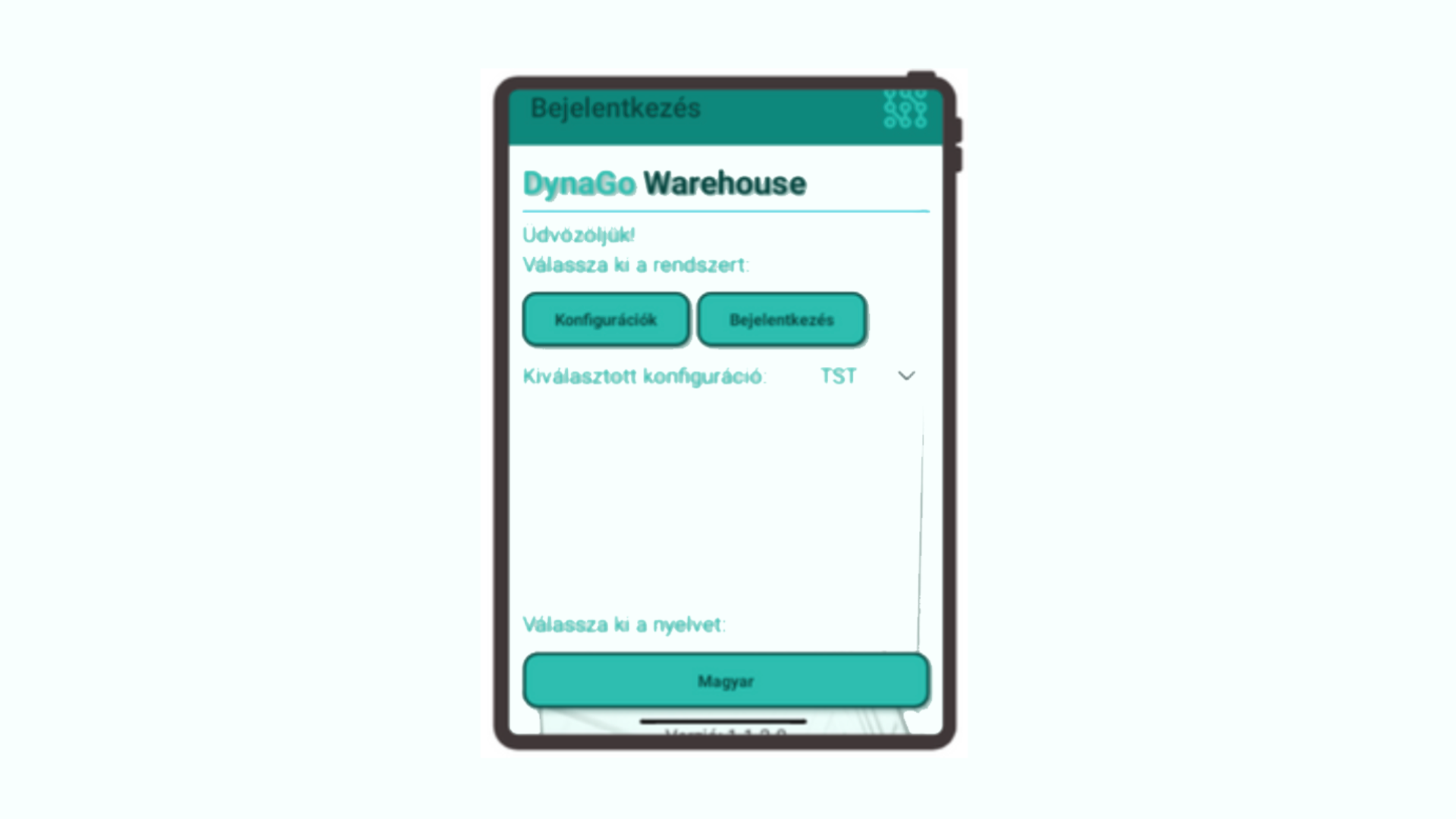
DynaGo Mobile’s warehouse solution, DynaGo Warehouse, is a modern application developed with .NET MAUI technology and running natively on Android and iOS devices. It integrates directly with the Microsoft Dynamics 365 Business Central ERP system. The solution provides real-time data management for logistics teams and supports processes with mobile technologies from goods receipt through to delivery.

The system’s most important advantage is that it makes real-time inventory information available anywhere in the warehouse, while enabling paperless, automated processes.

Barcode and QR code support enables faster and more accurate work, while direct posting to Business Central minimizes administration. The solution also provides transparent task management, process tracking, and flexible role and permission management through the mobile interface.


Warehouse user management and role-based operation

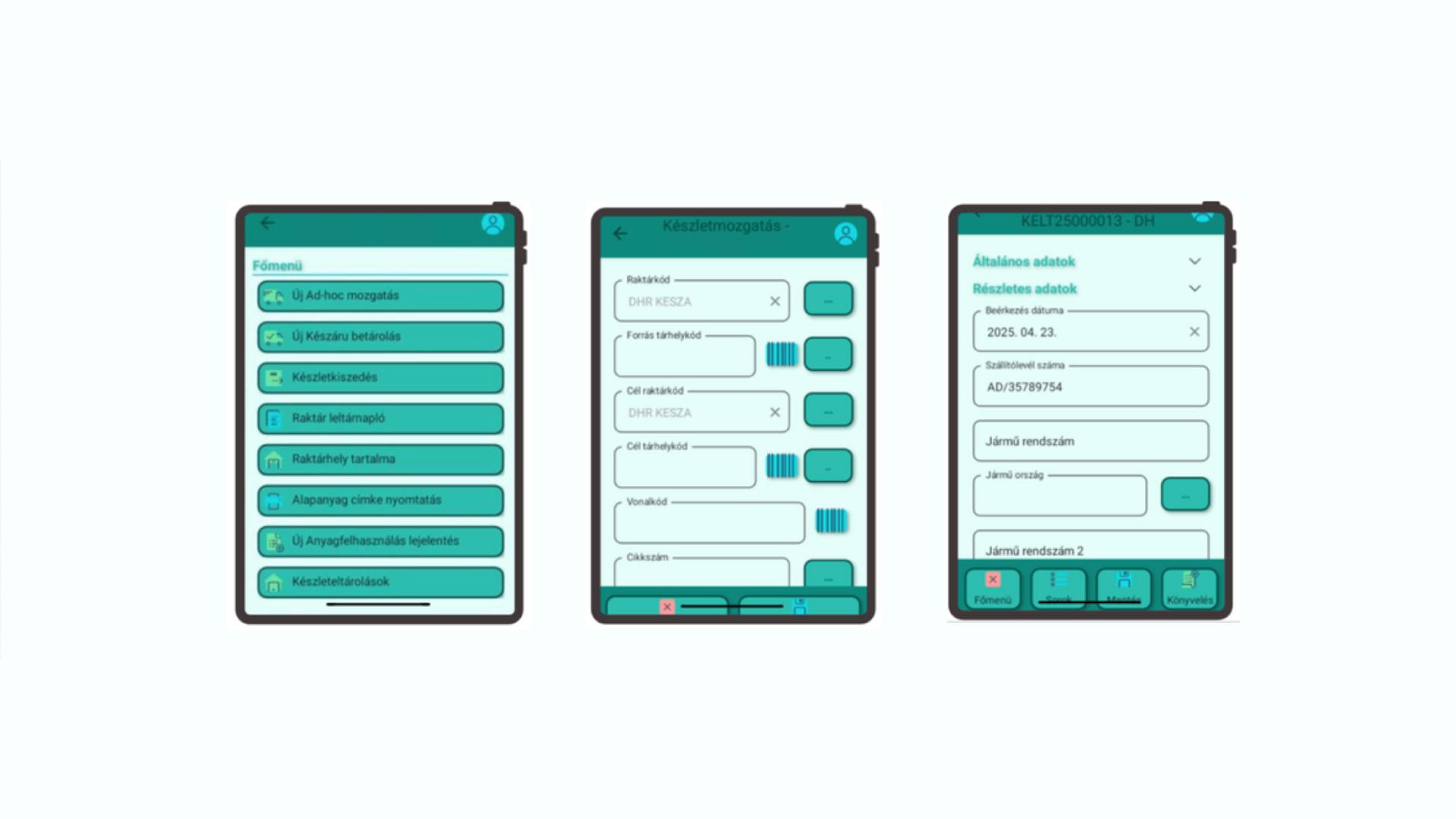
The interface configured in Business Central makes it possible to set up warehouse users and profiles, display functions on mobile devices based on user roles, define individual default warehouses and journal settings, and configure printers by user.

As a result, users only see the processes relevant to them, through a simple and transparent interface.


Mobile goods receipt and put-away

The system supports document-free recording of purchase orders from a mobile device. Receipt data, such as delivery note information, vehicle details and dates, can be entered directly in the mobile application. Goods receipt can also be managed at line level, allowing quantity, bin, batch and expiration data to be recorded accurately.

Once the data has been entered, automatic posting in Business Central can be completed with a single click.

The process is further accelerated by support for printing and reprinting barcode labels directly from the mobile device.


Bin content lookup and real-time inventory visibility

DynaGo Warehouse enables users to check the contents of warehouse bins and view real inventory information using various filtering options.

Users can search by item number, bin, batch or variant, allowing them to access the necessary data quickly and accurately.


Ad hoc material movements

The system also supports ad hoc material movements using barcode-based identification. This includes bin-to-bin and warehouse-to-warehouse movements, together with quantity and inventory checks. As a result, flexibility and accuracy are both maintained in daily operations.


Material consumption for manufacturing

The solution is also suitable for supporting manufacturing processes. A production order can be identified by barcode, after which the bill of materials lines are displayed and material consumption can be recorded. The system supports FIFO logic and automatically creates the necessary journals in Business Central.

This makes the administration of manufacturing-related material movements faster and more accurate.


Finished goods put-away

Products received from production can also be handled securely from a mobile device. Finished goods can be identified by barcode, the target bin for put-away can be specified, and the system supports secure storage even before posting takes place.


Picking and status tracking

During picking processes, users can list assigned tasks, check and approve quantities and bins, and manage partial quantities as well.

The system provides automatic status management, making tasks clearly traceable through “New,” “In progress” and “Completed” statuses.


Stocktaking with mobile barcode scanning

Stocktaking works on an inventory order basis and enables the identification of the bin, item and batch even with a single scan. This significantly speeds up the process while ensuring accurate result recording.


The technological foundations of the warehouse solution

The technology behind DynaGo Warehouse translates directly into business benefits. .NET MAUI provides native Android and iOS performance from a single codebase. Business Central Web API integration ensures real-time data connectivity. Barcode and QR code support enables the use of both the device camera and external scanners. Support for cloud and on-premises Business Central environments means the solution can be adapted to virtually any infrastructure.


Who is DynaGo Warehouse recommended for?

The solution is especially useful for manufacturing and food industry companies, commercial and logistics centers, and businesses with a service background.

It can be particularly beneficial for companies operating across multiple sites and handling high volumes of goods.


Mobile service solution: efficient work order management and field support

DynaGo Mobile provides advantages not only in warehouse and manufacturing-related processes, but also directly supports the work of field service technicians. The efficiency of service technicians has a major impact on customer service, cost efficiency and response times. Paper-based reports, inaccurate data transfer and subsequent administration all cause time losses, while customers increasingly expect immediate, transparent communication and documented work execution.

The Mobile Service application, built on .NET MAUI technology, addresses these challenges through close integration with Microsoft Dynamics 365 Business Central.

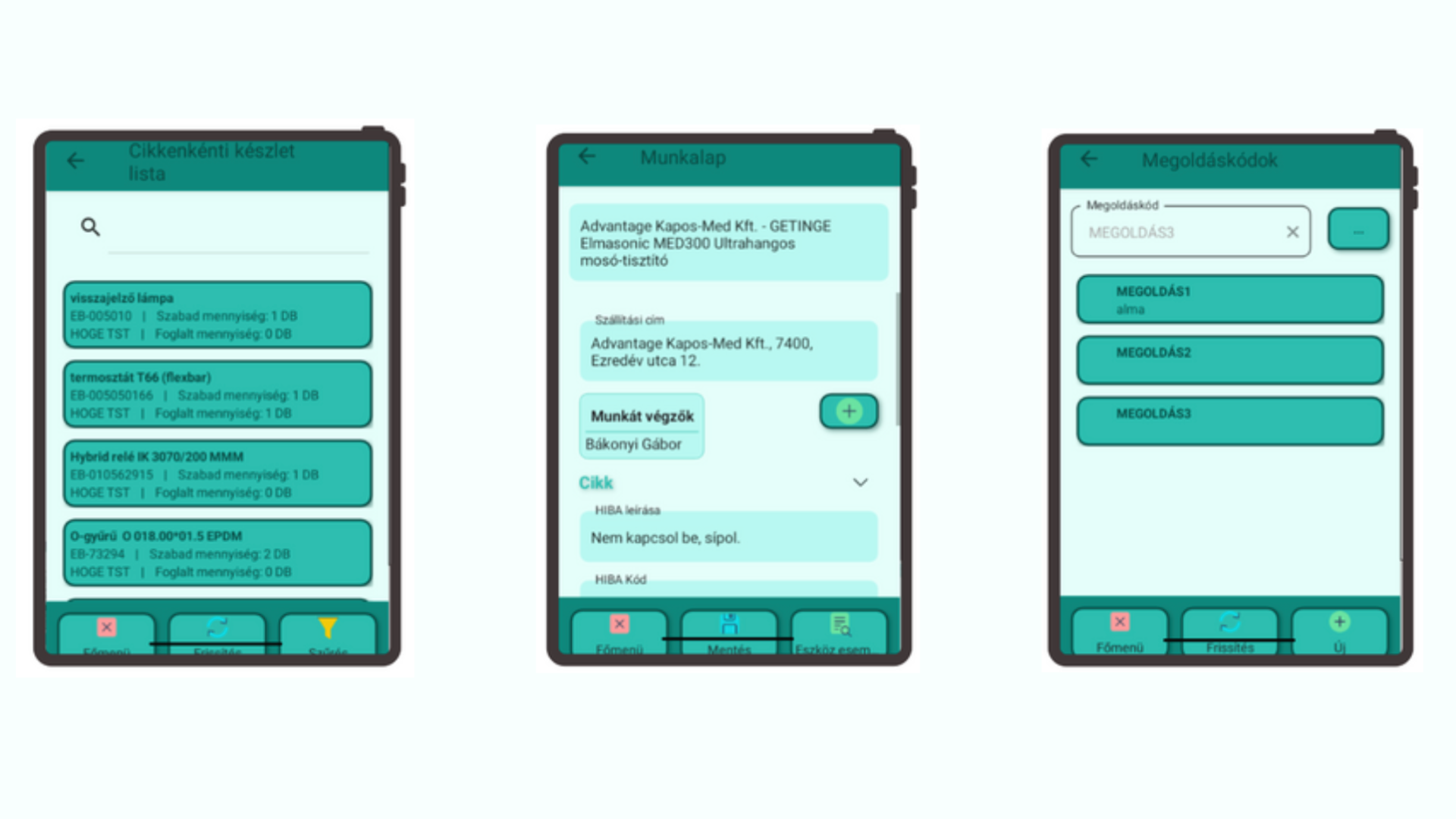
The application provides comprehensive field support for service processes: from creating work orders and recording materials used to accessing real-time inventory information and automatically generating a signed work order in PDF format.


Real-time inventory information for field technicians

A service technician can immediately check which spare parts and materials are available in their vehicle, even across multiple companies, provided a unified warehouse code structure is in place. The available data includes item ledger entry details such as batch number, quantity and shipping address.

This is particularly important because technicians can see exactly what is available to them on site. As a result, service response time is reduced and unnecessary spare part orders can be avoided.


Mobile work order management

The mobile application enables work orders to be started and managed from a mobile device, with changes appearing in Business Central in real time. Work orders recorded in Business Central can be assigned to service technicians, materials used and working time can be recorded immediately and without paper, and work order data is continuously synchronized between the two systems.

The process also allows the customer to digitally sign the work order on the mobile device.

This makes the service process faster, more transparent and more accurate, while billing can also be prepared automatically.


Custom work order PDF template and automated document management

The system automatically generates a PDF document from the signed work order in a custom, company-specific format. This document can be uploaded to the appropriate document repository, attached as an invoice attachment, and even sent immediately to the customer by email from the mobile application.

This not only significantly accelerates administrative processes, but also provides a professional customer experience.


Equipment history and event log

One of the key advantages of the mobile service application is that it makes previous service dates, earlier work order IDs, and the parts and operations used searchable for every service item. This makes troubleshooting easier, supports the handling of recurring issues, and significantly improves service efficiency.


Business benefits of the service solution

By using the system, the administrative burden is significantly reduced and paperless operation becomes possible. Field service work becomes faster, customer communication improves, inventory information becomes more accurate, and the number of unsuccessful service visits is reduced.

Automated document management enables faster invoicing, while service data becomes more transparent and customer history easier to track. Together, these benefits significantly improve both the customer experience and traceability.


Who is the Mobile Service application ideal for?

The solution can be an ideal choice for companies providing contracted or ad hoc service activities, businesses with many mobile technicians working in the field, organizations maintaining high-value equipment with long lifecycles, and service companies managing multiple companies and sites.

For more information about any of the solutions, or to learn how DynaGo Mobile can be integrated into your own business processes, contact our experts at dynago@dynago.hu.

https://dynago.hu/wp-content/uploads/2026/04/DYNAGO-2.png 1080 1920 dynago https://dynago.hu/wp-content/uploads/2021/08/logo_szines_340px.svg dynago2026-04-29 11:52:512026-04-29 11:52:51Mobile solutions for Microsoft Business Central: how DynaGo Mobile supports warehouse, manufacturing and service processes
dynago

How Business Central Copilot Transforms Work for Hungarian Companies

2025.12.10./in Dynago /by dynago

The arrival of Copilot in the Hungarian localization of Microsoft Dynamics 365 Business Central has raised a key question for many companies: what can this AI assistant actually do in the local business and regulatory environment? While often compared to Microsoft 365 Copilot, the tool built into Business Central is a fundamentally different system. It works directly with ERP data, understands business processes, and provides context-aware recommendations based on the company’s own financials, inventory, and operational records.


Because Copilot is only available in the cloud (SaaS) version of Business Central, users can access it instantly and at no additional cost. The assistant is designed to simplify everyday work by generating product descriptions, summarizing data, preparing emails or offers, and assisting in tasks that would otherwise require manual review. In finance and accounting, it helps interpret bank statements, detect mismatches, categorise transactions, and produce quick explanations of monthly results or cash-flow changes. In sales and customer service, it can draft proposals, analyse order history, and highlight buying patterns, while in procurement and inventory management it supports replenishment decisions by interpreting stock movements and suggesting potential reorder quantities.

The quality of AI-generated text still requires human review, but the administrative workload is significantly reduced.

A major strength of the Hungarian localization is that Copilot understands local accounting rules, VAT logic and reporting structures, and can interpret Hungarian-language instructions as well as mixed English–Hungarian business terminology. Although the NTCA Online Invoice integration itself is a native BC feature rather than an AI capability, Copilot helps interpret invoice data, flag potential inconsistencies and recognise typical error patterns.

This makes onboarding easier for new users and reduces the risk of misunderstandings in processes where Hungarian-specific phrasing or regulatory requirements play an important role.

Not every feature available globally is fully enabled in Hungary yet, and the AI’s reasoning capabilities are still evolving. Some prompts or outputs may appear in English, and certain forecasting or advanced planning functions remain in Microsoft’s development roadmap. Even so, the current toolset already provides immediate value by turning complex datasets into understandable insights and by answering natural-language questions such as which products performed best last quarter or where notable cost deviations occurred.

As artificial intelligence becomes a built-in element of enterprise systems, tools like Copilot are rapidly becoming standard rather than optional enhancements.

For Hungarian businesses, this offers an opportunity to streamline operations, improve decision-making and build a more data-driven culture without increasing system complexity. While human oversight remains essential, the direction is clear: companies that start exploring AI-supported ERP workflows today will be better positioned to benefit from the technology’s accelerating capabilities tomorrow. If you want to understand how Copilot could support your organisation’s processes or where it can generate short-term, tangible value, DynaGo’s experts can help navigate the options and tailor the solution to your operational needs.


Thumbnail: Microsoft

https://dynago.hu/wp-content/uploads/2025/12/copilot_microsoft.png 1080 1920 dynago https://dynago.hu/wp-content/uploads/2021/08/logo_szines_340px.svg dynago2025-12-10 12:11:032025-12-10 12:11:03How Business Central Copilot Transforms Work for Hungarian Companies
dynago

Exploring Dynamics 365 Business Central 2024 Release Wave 2 (BC25): A Comprehensive Overview

2024.12.13./in Dynago /by dynago

The 2024 Release Wave 2 for Microsoft Dynamics 365 Business Central introduces powerful features aimed at enhancing efficiency and productivity for small and medium-sized businesses (SMBs). This release focuses on streamlining operations, improving usability, and integrating advanced AI capabilities. Here are the key highlights.


General Enhancements

Full-Text Search for Enhanced Usability

The updated search functionality replaces the older exact-match “legacy” system with a modern, full-text indexed approach. This allows for more intuitive searches based on linguistic rules, supporting flexibility such as phrase searches with quotation marks. For example, searching “London chair” will locate a product named “LONDON Swivel Chair,” a task the legacy system could not perform. On-premises installations require SQL Server Full-Text Search to enable this feature.

Copilot Integration: Streamlining Repetitive Tasks

The AI-driven Copilot introduces:

  1. Sales Line Suggestions: Automatically generates sales lines from free text or file inputs, reducing manual data entry and errors.
  2. Natural Language Data Queries: Users can type commands like “Show suppliers by location, sorted by purchase amount,” enabling quick insights without complex setups.
  3. Effortless Numbering Series Management: Copilot simplifies creating and modifying numbering sequences through an intuitive interface.

Drag-and-Drop File Attachments

Users can now attach multiple files to a record simultaneously, enhancing workflow efficiency, particularly for document-heavy tasks.

Innovations in Project Management

Extended Text for Project Planning

Project planning lines now support detailed text entries, improving communication with clients, suppliers, and internal teams.

Streamlined Purchase Orders

Purchase orders can now be created directly from projects using intelligent algorithms that assess supply and demand, ensuring seamless project execution without complex setup.


Service Management Enhancements

Service Document Archiving

New version control capabilities automatically archive service documents at key stages, such as when converting quotes to orders or posting service orders, mirroring functionality in sales and purchasing modules.

Improved Service Contract Management

A list view of archived service contracts offers better accessibility and organization, streamlining contract oversight.


Advanced Subscription Billing

The enhanced subscription billing module supports flexible pricing, automated renewals, and customizable billing periods. By centralizing contract data, this feature streamlines processes from initial sales to recurring invoices, reducing manual effort and improving accuracy.


Conclusion

The Dynamics 365 Business Central 2024 Release Wave 2 delivers features that cater to SMBs’ evolving needs, from AI-driven tools to improved project and service management. These innovations enhance efficiency and ensure Business Central remains a top choice for managing and optimizing operations.

https://dynago.hu/wp-content/uploads/2024/12/sunrise-king-NK-cB-l1cv0-unsplash-1-scaled.jpg 1440 2560 dynago https://dynago.hu/wp-content/uploads/2021/08/logo_szines_340px.svg dynago2024-12-13 18:16:162024-12-13 18:16:16Exploring Dynamics 365 Business Central 2024 Release Wave 2 (BC25): A Comprehensive Overview

Latest posts

  • Business Central 28 Takes Logistics, Finance and Quality Management to the Next Level
  • DynaGo Hungary wins Business Superbrands award
  • Mobile solutions for Microsoft Business Central: how DynaGo Mobile supports warehouse, manufacturing and service processes
  • Newsfeed in the Dynago Package – Making the Full Story of a Business Case Visible
  • How Business Central Copilot Transforms Work for Hungarian Companies

Kategóriák

  • Dynago
  • Uncategorized

Címkefelhő

.NET MAUI barcode scanning BC28 Business Central Business Central 28 business process automation business processes cloud cloud ERP collaboration CRM data data management data quality digital transformation document management DynaGo DynaGo Hungary DynaGo Mobile enterprise resource planning enterprise software ERP ERP system ERP update ERP upgrade field service inventory counting inventory management manufacturing process Microsoft Microsoft Business Central Microsoft Dynamics 365 Microsoft Dynamics 365 Business Central mobile application mobile ERP system Newsfeed operational efficiency posting periods productivity QR code service management stock management team collaboration warehouse management workflow

Privacy policy

Copyright 2021 Dynago

Scroll to top
Weboldalunk működtetése során a felhasználói élmény növeléséhez illetve a jobb kiszolgálás érdekében oldalunk “cookie”-kat használ. További információk
BeállításokElfogadom
Manage consent

Privacy Overview

This website uses cookies to improve your experience while you navigate through the website. Out of these, the cookies that are categorized as necessary are stored on your browser as they are essential for the working of basic functionalities of the website. We also use third-party cookies that help us analyze and understand how you use this website. These cookies will be stored in your browser only with your consent. You also have the option to opt-out of these cookies. But opting out of some of these cookies may affect your browsing experience.
SAVE & ACCEPT
  • English