
AI Agents in Practice: When Artificial Intelligence Does More Than Just Respond — It Gets Work Done
AI agents can support employees across a wide range of areas, from accessing corporate knowledge and managing customer communication to executing business processes. Well-designed agents can work with predefined corporate information sources, collect data, perform checks, and initiate controlled workflows.
We have previously discussed the differences between Copilot and AI agents in our article on Business Central. While chatbots answer questions, generate text, or summarize documents, agents can connect natural-language interaction with corporate documents and business systems such as Microsoft 365, SharePoint, or Microsoft Dynamics 365 Business Central.
What is more, their operation can be tailored to the company’s own rules, processes, and knowledge base.
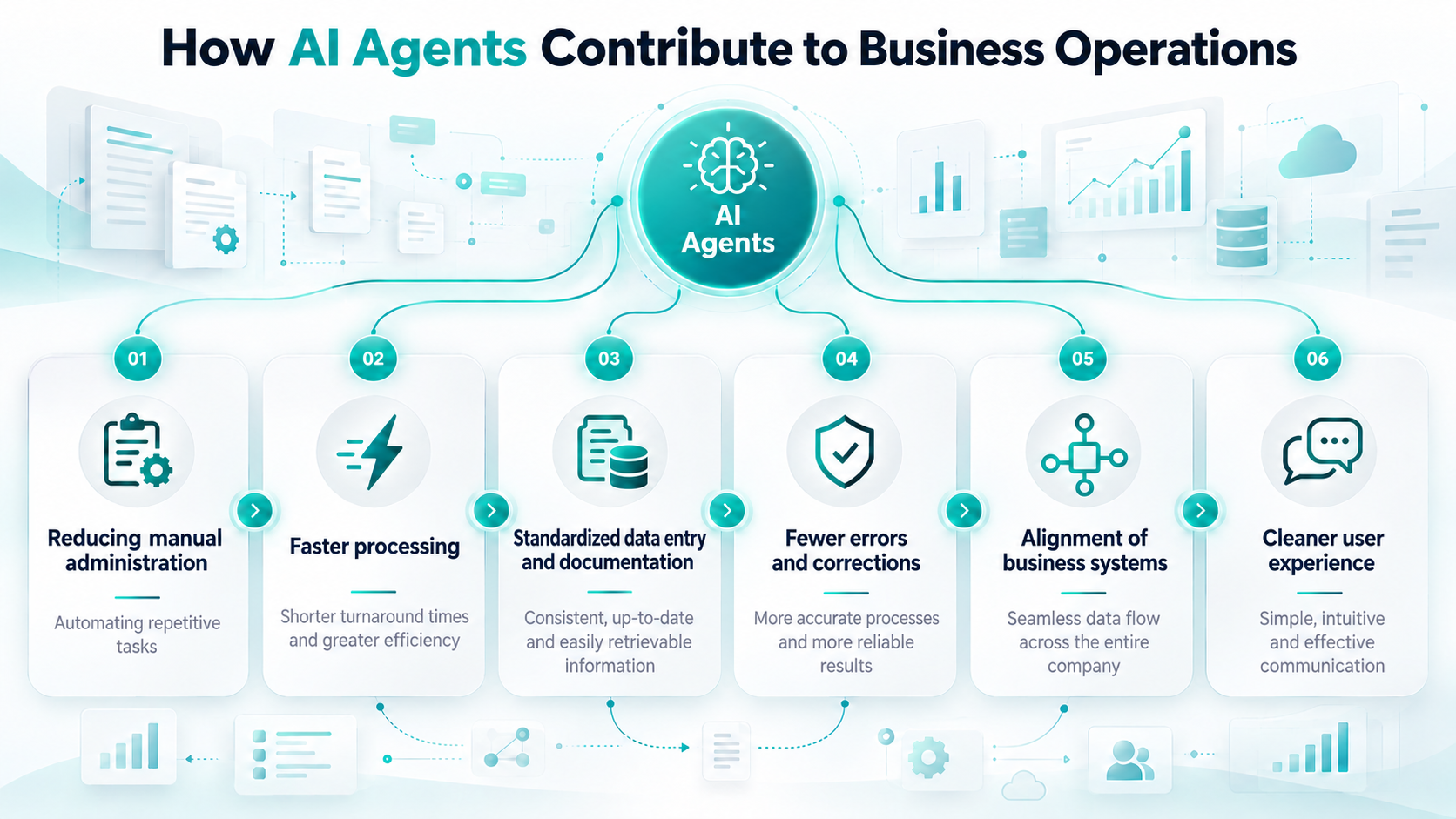
Corporate knowledge from controlled sources
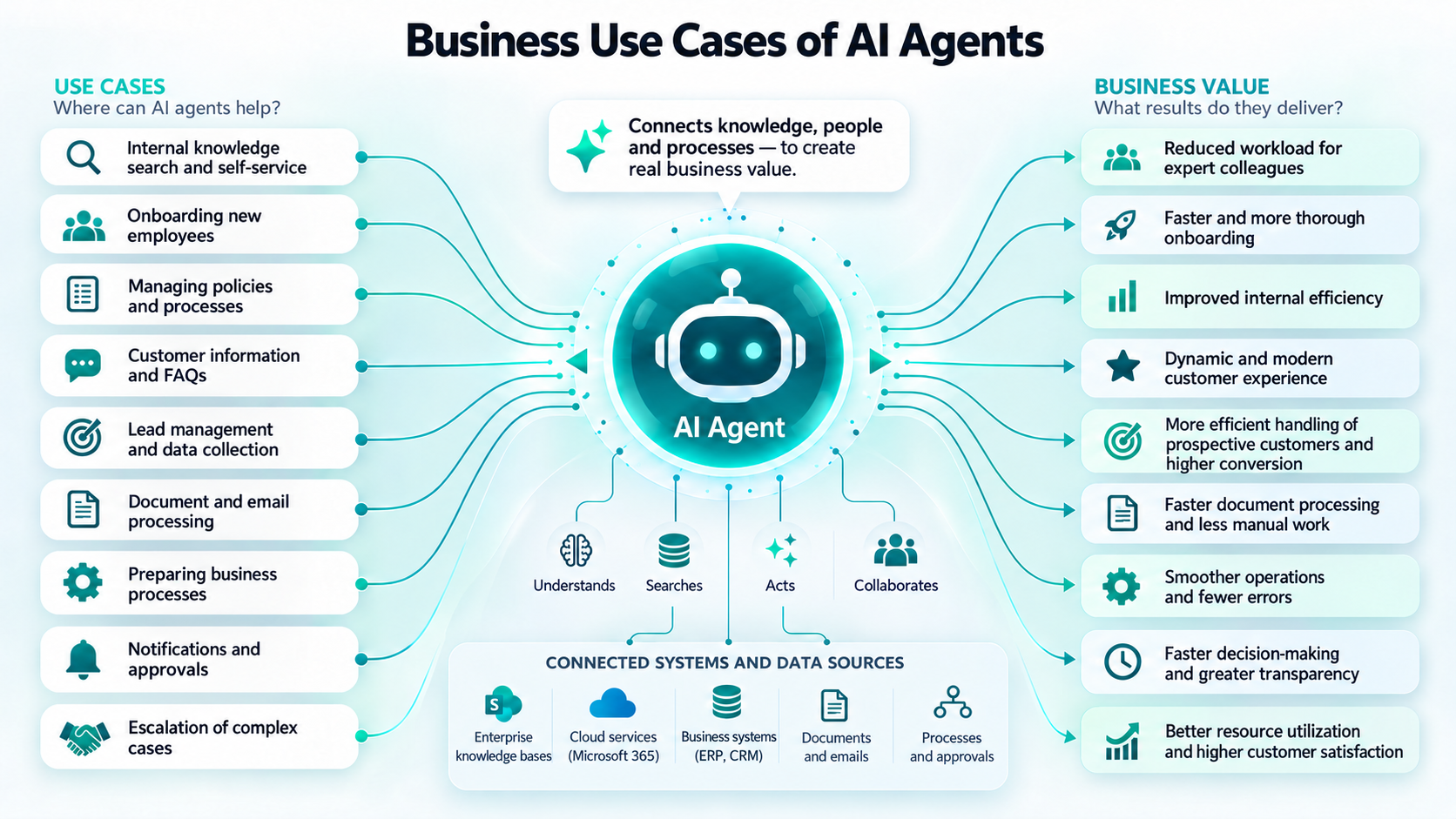
Agents built on corporate knowledge can answer employees’ questions based on internal manuals, process descriptions, and approved documents, while the company itself can define which documents and information sources the agents are allowed to use. This is particularly important when dealing with internal processes, policies, and organization-specific expertise. As a result, employees no longer need to search through lengthy documents, folders, or previous email threads to find a particular piece of information.
Agents can also act as professional knowledge hubs or provide first-line internal support. They can assist junior colleagues in their day-to-day work, support the onboarding of new employees, and handle frequently recurring questions that would otherwise be directed to more experienced colleagues.
It is important to emphasize that agents do not take over experts’ decision-making responsibility. More complex or exceptional cases can still be escalated to the appropriate specialists.
We also discussed the role of human expertise and responsibility in our article about Mr. Bucket.
Customer communication and guided data collection
Agents can also be used to support external customers and prospective clients. Solutions operating on a corporate website or other digital interfaces can answer frequently asked questions based on the product, service, or company information made available to them.
When someone gets in touch or requests a quotation, agents can launch a guided conversation: they collect the necessary information step by step, verify that the required data has been provided, and then forward it in a structured format to the appropriate employee or system. In a similar way, they can also receive service requests and other enquiries, collect the data required for processing, and forward it to the relevant colleagues through Teams or Outlook integrations.
Custom agents can be published in Microsoft 365 Copilot, Microsoft Teams, SharePoint, corporate or public websites, and other business interfaces, in both cloud-based and on-premises environments.
Business operations through a conversational interface
Agents can manage data, process documents, connect different systems, and launch automated workflows. The next level of AI agents is represented by solutions that can carry out specific business processes as well. With agents integrated into Business Central, users can initiate business operations using natural language, while controlled and auditable processes run in the background.
In a procurement process, for example, an employee can specify in conversational form which products and quantities are required. The agents collect and validate the data, after which the background process creates the necessary Business Central documents. Meanwhile, the employee can receive feedback on the status and outcome of the process.
Another example is creating a new item and preparing the related documentation. The agents collect the necessary information, create the item in Business Central, and can then generate a document from a Word template based on the recorded data. The document can also be produced in PDF format and saved to the appropriate SharePoint document library.
The user interacts with a single, unified conversational interface, while multiple Microsoft solutions work together in the background.
Where should you start?
Before introducing AI agents, it is worth defining precisely which problem you want to solve. A question-and-answer assistant built on an internal knowledge base requires a different design from a solution that creates documents or master data in Business Central.
The value of agents should not be assessed solely on the basis of full automation.
Business value can already be created by reducing the time spent searching for information, entering data manually, and carrying out repetitive administrative tasks.
A good place to start is an area where employees regularly encounter recurring questions, frequent manual data entry, or the need to search across multiple documents and systems for the same information. A clearly defined, frequently repeated, and measurable process can provide a strong foundation for implementation. Based on experience, agents can then be gradually expanded with additional information sources, integrations, and business operations.
If you are interested in practical applications of AI, follow Dynago on LinkedIn and visit our blog. And if you would like to explore how AI could be applied to your own business processes, get in touch with our experts.
Thumbnail: OpenAI